| Version | 3.4 · 7 November 2026 |
| Describes | Walk4Me server 4.48 and iPhone app 1.8 (build 113), as configured and tested on that date. |
| Hosting | Amazon Web Services, us-west-1 (Northern California) |
| Contact | Erik Henricson, PhD MPH Professor and Vice Chair for Research Department of Physical Medicine & Rehabilitation ehenricson@health.ucdavis.edu https://health.ucdavis.edu/pmr/research/neuromuscular-research/index.html Albara AH Ramli, PhD Postdoctoral Scholar Department of Physical Medicine & Rehabilitation arramli@health.ucdavis.edu |
At a glance
Contents
- 1About Walk4Me
- 2Regulatory status
- 3Security
- 4Data flow
- 5Information we collect
- 6How the information is used
- 7Storage, retention and removal
- 8Who has access
- 9Using Walk4Me in an IRB-approved study
- 10Artificial intelligence
- 11Rights and changes
01About Walk4Me
Guidance for organizations running a Walk4Me server. The Walk4Me app is a general recording tool and makes no medical or research claims. An organization that uses the app and server software for a study is responsible for that study: its approvals, consent, data and this statement’s accuracy for its own setup. This statement describes the server run by the team named on the cover (albara2.ramli.net); an organization running its own server should check each point against its own configuration. It is not part of the app’s Terms of Use.
Walk4Me is a general recording app together with server software that a research team can run as a portal for its studies of how people walk in everyday settings. It has four parts:
| Component | What it does |
|---|---|
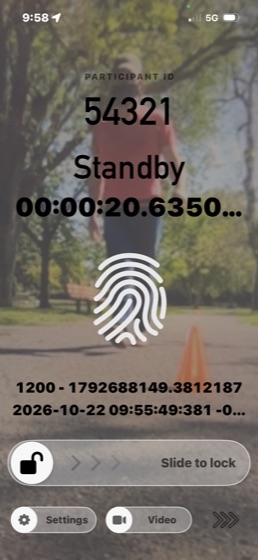
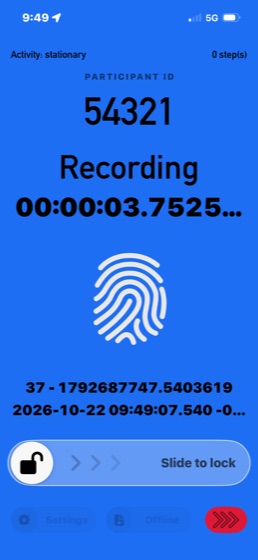
| iPhone app | Records walking sessions: motion sensors, location, step counts and, in video mode, camera footage with sound unless sound is switched off. The app is also distributed publicly (TestFlight and the App Store) as a general recorder: with no server set, recordings stay on the phone, labelled “Self” and “1” by default. |
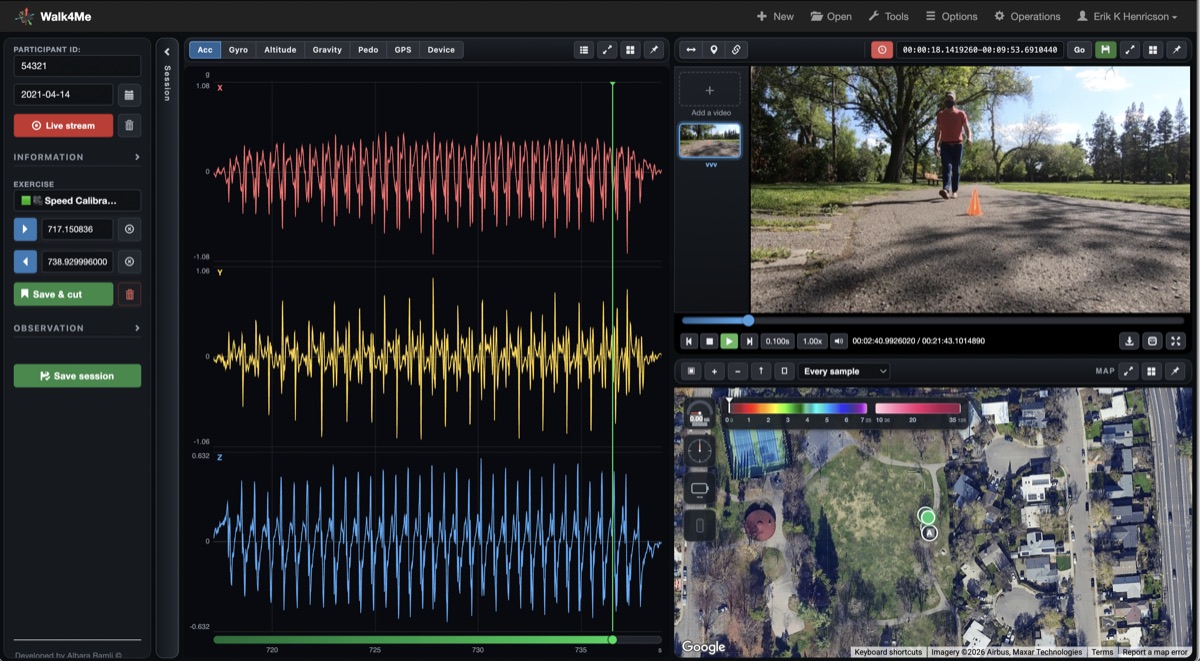
| Research portal | A web application where signed-in researchers view, analyze and download sessions, and watch a recording live while the phone streams it. |
| Upload receivers and managers | Accept recordings from the app; researchers review each offline upload before it enters the study data. Researchers can also import a recording from another device (an ActiGraph accelerometer’s CSV export) into a session. |
| Clock tool | A public page that shows only the current time, used to check a device’s clock before a session. |
02Regulatory status
| HIPAA | Walk4Me does not collect information from medical records and is not used to create, receive or transmit protected health information (PHI) on behalf of a HIPAA covered entity. UCD is a hybrid entity; Walk4Me studies collect no PHI. Walk4Me does collect personally identifying information (geolocation and, in video mode, video) and health information entered by researchers (a case label and assessment scores), all under each participant’s consent. That health information is research data labelled with a Person ID, not PHI drawn from a covered entity’s records. |
| Data classification | Protection level P4 under the UC institutional information classification, because sessions hold precise GPS locations and, in video mode, identifiable video. Availability level A2. |
| GDPR | Walk4Me is not currently used in the European Economic Area, the United Kingdom or Switzerland. Use there is expected in future and will need a GDPR review and agreement before it starts. |
| Institutional review | UCD IT security review pending. |
03Security
Encryption in transit
- Every transfer between the app, the server and the portal uses HTTPS. The server accepts only TLS 1.2 and TLS 1.3; TLS 1.0 and 1.1 are refused.
- Plain HTTP is redirected to HTTPS, with HSTS; the Let’s Encrypt certificate is checked twice a day and renewed automatically.
- The app runs with Apple’s App Transport Security fully on and no exceptions, so it cannot send data unencrypted.
Encryption at rest
- On the phone, recordings are kept in the app’s private storage, which iOS encrypts with the phone’s passcode (files are readable once the phone has been unlocked after a restart). This depends on the phone having a passcode.
- On the server, study data is kept on a dedicated 1.5 TB Amazon EBS volume. Since 5 November 2026 the server’s disks are encrypted with Amazon EBS encryption (AES-256, AWS-managed key), and every new disk is encrypted automatically. Walk4Me adds no further encryption to stored files. See Backup and encryption.
Access control
- Researchers sign in with their email address, password and project (the one administrator account uses a username). Passwords are stored only as bcrypt hashes.
- Accounts are requested on the sign-in page and created only when the administrator approves the request and chooses the projects the person may open. The requester chooses their password in the form and only its hash is kept, so no password is ever sent by email. A forgotten password is handled the same way: the new password takes effect only after the administrator has confirmed the person's identity and approved it. The form gives the same reply whether or not an email has an account, is limited per address, and every approval and decline is logged.
- A sign-in is a session held on the server, identified by one random cookie that page scripts cannot read and that is only sent over HTTPS. It lasts one day; signing out ends it, and removing a person from the account list signs them out on their next action.
- Repeated wrong passwords are slowed and then paused: after 5 failures for one username from one address, or 20 from one address, that address waits 15 minutes. Each failure is logged with the username and address, never the password.
- Every portal page and data file requires sign-in. The exceptions are the sign-in page, the public Clock page, this statement, the Upload Content Policy, the app’s Privacy, Terms and Support pages, a check that answers only whether the browser is signed in, and the addresses phones use (upload, live stream and the app’s sign-in), which check an upload key instead. Project data is served only to accounts for that project.
- Actions that change data can only be started from the portal itself. Requests started by other websites are refused, and other websites cannot show the portal inside their own pages.
- Each phone upload carries a key that the phone receives only from the setup QR code; an upload or live stream without the right key is refused.
- The participant signs in on the phone with Sign in with Apple. Uploads are accepted only from a phone that sends its device ID, is linked to that sign-in, and records as a Person ID that sign-in holds and the researchers have pre-approved or approved; an upload for any other Person ID is refused. From app build 109 the phone also proves who it is with the secret the server gave it at sign-in (only its hash is kept); a wrong secret is refused, and phones on older builds are accepted without it until they have updated. Researchers can approve or reject a person in the portal, and block a phone or an Apple sign-in.
- A file sent again under the same name replaces the earlier copy only when it comes from the same phone; otherwise the earlier copy is kept on the server.
- A setup QR code can carry a consent. Right after scanning, the participant reads it on the phone and must accept it before the app can be used: nothing from the code is applied until they agree, and I agree becomes available only once the text has been scrolled to the end; declining keeps nothing from the code. Until it is accepted the server refuses anything that phone sends with that code. Each answer is recorded with the time, the Person ID, the phone and a SHA-256 of the exact text shown, and an edited consent is saved as a new version, never changed in place.
- The app shows whether the server accepts its QR code (“Scanned QR code · VALID”) without displaying the key (the key is never logged). A QR code’s project, Person ID and server addresses cannot be edited on the phone; a new code replaces them. The server addresses are not displayed, either on the phone or on the portal page that makes the code, although the code itself carries them so the phone can connect. Delete removes one person’s QR code from the phone and from the Apple sign-in on the server, Delete all removes every one, and Delete account removes the sign-in itself.
- From the portal, the administrator can act on a phone at its next check-in: Sign out (the phone leaves its Apple sign-in and its QR code setup; recordings stay), Delete all QR codes (the setup and upload key go; the sign-in and recordings stay) or Wipe all (every recording and video on the phone, sent or not, and its setup are deleted). For Delete all QR codes and Wipe all the phone stops any recording first and confirms when done; the request and the confirmation are both kept in the activity log. These two need app build 96 or later; earlier builds delete only recordings not yet sent.
- Every value passed to a server command is escaped first, and Person IDs, dates and names that become file paths are checked before use, so a request cannot run commands or reach another project’s files.
- Text researchers type, such as group names and comments, is escaped wherever it is shown, so it cannot run as a script.
Data integrity
- In a live recording, the app checks that the server stored each batch of samples. Batches that do not arrive are kept on the phone and sent again once the server answers; the screen says when data is waiting, when the portal is not recording, and how much, if any, never arrived.
- Session details and notes are saved under a lock and replaced in a single step, so two saves at once cannot lose each other’s changes, and a save that fails is reported rather than appearing to work.
- Adding an uploaded recording to a session changes nothing unless the recording holds data for that session, and a write that fails part-way leaves the session as it was.
- Every upload is entered in a ledger with who sent it, when, its size and its SHA-256, so a stored file can be checked against what arrived.
Hosting and administration
- One Amazon EC2 server in us-west-1 (Northern California), running Amazon Linux 2023 (updated October 2026) and the Apache web server.
- Administration is by SSH with a private key only, over a post-quantum key exchange (ML-KEM with X25519) that protects recorded traffic against future quantum decryption.
- Three network ports are open: 443 (HTTPS), 80 (redirects to HTTPS) and 22 (SSH). Network access is controlled by the AWS security group. The server does not reveal its software versions, and folders never list their contents.
Planned improvements
These are known gaps, each with a plan. Target dates are proposed and will be agreed with UC Davis Health IT.
- Multi-factor sign-in for every portal account, through UC Davis Health single sign-on or one-time codes from an authenticator app (TOTP): Q1 2027.
- Single sign-on and log forwarding: sign-in with UC Davis Health accounts (Entra ID) and forwarding of audit logs to the UC Davis Health SIEM, on a timeline agreed with UCDH IT (proposed Q2 2027). Today the portal has its own accounts, and its logs stay on the server, where the administrators review them.
- Browser libraries: the main portal page moves from Bootstrap 3 to a current, supported version: Q1 2027. Chart.js (2.9.4) and the Bootstrap 4 pages (4.6.2) were updated to their final releases in server 4.36, and every library is pinned with an integrity hash.
- Browser security headers: a Content-Security-Policy, Referrer-Policy and Permissions-Policy: Q1 2027. HSTS and frame protection are already in place.
- Administration: one administrator account today; a second named administrator, so administration does not depend on one person, with the date to be agreed with UCDH IT.
- Sessions: an idle-session timeout and sign-out that cannot be triggered by a link: December 2026.
- SSH: limited to approved source addresses (today key-only, password logins off): November 2026.
04Data flow
Optional video and sound
Private app storage, not backed up
Online: live into project data
Offline: staging, reviewed, then added
Figure 1. Every arrow is an encrypted HTTPS connection.
05Information we collect
About study participants
| Category | Details | Identifying? |
|---|---|---|
| Person ID and project name | Entered by the researcher or scanned from a setup QR code. The app never asks for a name or contact details. When one walk is recorded by more than one device, each device’s session carries the Person ID with a device number (for example 1234-1), and each device’s session keeps its own videos. | Pseudonymous |
| Motion | Up to 100 samples a second: acceleration, rotation rate, orientation (pitch, yaw, roll) and gravity. | No |
| Location | GPS latitude and longitude, speed, distance from the start and accuracy, for the whole session, including while the screen is off. | Yes |
| Steps | Step counts and related pedometer values. | No |
| Device condition | Battery level and charging state, thermal state, low-power mode, app state and GPS accuracy. | No |
| Video (video mode) | Camera footage with sound unless switched off; the project name, Person ID and time are written into the picture. Faces may be visible and are not blurred. | Yes |
| Participant characteristics | Entered in the portal: age, gender, height, weight, leg length, group, case label (a group the researchers assign, such as control or a condition code) and functional assessment scores. | Health information |
| Session notes | Exercise labels, markers and comments added by researchers, and an optional label naming the device a session came from (for example “ActiGraph”). | No |
| Apple sign-in | Apple’s anonymous identifier for the participant’s Sign in with Apple, never the Apple ID email or name. The server keeps it with the persons linked to it and their approval status, and a hashed secret for each phone. Apple’s sign-in token is checked once and never stored or logged. | Pseudonymous |
| Phone | A random device ID created by the app, the phone model, iOS version, app build, and when the phone was first and last seen. | Pseudonymous |
About researchers (portal users)
- Email address (or username for the administrator), project and password (stored as a hash).
- Portal layout and theme choices, kept on the server per account so they follow the researcher between computers. They hold no study data.
- Administrator actions (approvals, blocks, removals, phone sign-outs, QR code deletions and wipes) and every removal of a session’s recorded data in an activity log, with who and when.
- IP address and pages requested, kept in the web server’s logs for about five weeks; the logs also record each phone’s IP address when it uploads, and failed sign-ins by username and address.
- No analytics or tracking. Portal pages load standard code libraries from public content networks (Google’s, Cloudflare’s, BootstrapCDN and jsDelivr), which see a visitor’s IP address when the files are fetched. Each library is pinned with an integrity hash, so the browser refuses a copy that has been altered.
06How the information is used
Walk4Me processes participant data on two lawful bases:
| Consent | Participants give explicit consent, with parental or guardian consent for minors. |
| Legitimate interests | The processing is necessary for the research studies Walk4Me supports. |
Walk4Me does not rely on contract or legal obligation, and does not sell data or use it for advertising. The information is used to:
- record and analyze walking for the study the participant enrolled in;
- show researchers each session’s signals, map track, heat maps, neighborhood activity-space measures (time and area in habitual, frequented and occasional places) and statistics, and, while a recording streams, its signals, position and phone condition live;
- develop and test research analysis methods, including machine-learning models that compare groups; and
- detect and fix recording problems, such as a session that stopped early or a phone clock that was wrong.
When a researcher views a session map, a live recording’s map or a heat map, the portal draws it on Google Maps, so Google receives the map area being viewed. When the app’s recording player shows a GPS path, the phone draws it on Apple Maps, so Apple receives that map area.
The activity-space view can be saved as a CSV file. It holds times, areas and counts for each participant, with the settings used, and no locations; the map itself shows the places on screen only.
07Storage, retention and removal
| Where | How it is handled |
|---|---|
| On the phone | In the app’s private storage until uploaded and deleted, or until the app is removed. Each file shows whether the server has confirmed it. Recordings are kept out of iCloud and computer backups, so one not yet uploaded is lost if the phone is. |
| Online upload | Samples go to the server as they are recorded, directly into the project’s data. They travel in the request address, which the server logs without that data. The app checks that each batch was stored and sends again any that were not. |
| Offline upload | Files go to staging folders that cannot be reached from the web. A researcher reviews each in the signed-in manager, then extracts it (sensor data) or publishes it (video) into the project. Every upload, extraction, publication and deletion is logged with file name, size and time. |
| On the server | Project data is reachable only through the signed-in portal. Both server disks are backed up every day with Amazon EBS snapshots, and the last 35 days are kept (since 5 November 2026; see Backup and encryption). |
| Removal | On request, researchers delete a participant’s uploads in the managers and a session’s sensor data and notes in the portal, and a session’s videos in its Session videos panel (each device’s session has its own videos, so a video deleted there is deleted for that session only); anything else is removed by the server administrator. In the app, the participant can remove one person (Delete), every person (Delete all) or the whole sign-in (Delete account) from the server, and the administrator can ask a phone to sign out, delete its QR codes or wipe all its recordings (see Security). When researchers remove a session’s recorded data (only accounts not limited to some groups can), its sensor files and notes are moved to a holding folder outside the web root, not deleted. The same happens when researchers reset a session to copy another device’s exercise marks into it: the files derived from its earlier cuts (processed signals, figures, reports and its calibration model) are moved there. They stay there until the superadmin deletes them on the portal’s Trash page, which lists every held session and logs each deletion; nothing is deleted from it automatically. A reset leaves the session’s recordings themselves untouched. |
| Retention | Data retention is presently indefinite, but is subject to the data retention requirements of projects’ funding sponsors. The upload ledger, the administrator activity log and the record of deleted sign-ins (what was used, without the Apple identifier) are kept indefinitely for audit; web server logs are kept for about five weeks. |
08Who has access
| Who | Access |
|---|---|
| Study team | Through portal accounts. Each account lists the projects it may open and sees only those; the administrator account can open every project. |
| Server administrators | Hold the SSH key. |
| Amazon Web Services | As the hosting provider. |
| Receives the map area when a researcher views a map; public content networks see visitors’ IP addresses when code libraries load. | |
| Apple | Verifies the participant’s Sign in with Apple, distributes the app (TestFlight and the App Store) and serves the map in the app’s recording player. Apple receives no recordings. |
The Walk4Me app contains no third-party code, analytics or advertising libraries; it uses only Apple’s own frameworks. The Clock tool queries public time servers, which receive no personal data.
Participants are asked about data sharing during consent, as part of the study’s existing consent forms.
09Using Walk4Me in an IRB-approved study
Include the following in the consent form and IRB application, adapted to your study. Uploads are also governed by the Walk4Me Upload Content Policy.
- Tell participants what is recorded, including location and video.
“During walking sessions a study iPhone will record how I move, my steps and my location (GPS). If the session is filmed, video and sound will also be recorded. My recordings will be labelled with a Person ID rather than my name and stored on a secure server that only the study team can access. I understand that a location track can show where I walked, and that a video can show my face.”
- Tell participants how to have their data removed.
“I understand that I can ask for my data to be removed by contacting the study investigator.”
- If data may be shared beyond the study team, offer a choice.
“How would you like your data to be shared? (a) with the study team only; (b) processed movement data, without location or video, may be shared with other researchers; (c) movement and location data may be shared with other researchers; (d) video may also be shared with other researchers.”
- Risks section.
“Location and video recordings can identify a person even without a name. The investigators will store them securely, but cannot control further use of any data a participant agrees to share outside the study team.”
- Data storage section. Use this once encryption at rest is confirmed.
“Movement, location and video data are collected with the Walk4Me iPhone app and stored on a Walk4Me server hosted on Amazon Web Services. All data are encrypted in transit and at rest, and can be accessed only by the study team through a password-protected web portal. No protected health information is collected.”
10Artificial intelligence
AI is not used to make automated decisions about participants. The iPhone app uses no AI; it records the phone’s sensors as they are. In the portal, sensor data is processed with conventional signal processing: filtering, step and distance measures, and alignment to video. One alignment tool uses text recognition (OCR) to read the time stamp written into a video frame.
Separately, researchers train machine-learning models on the sensor data to study differences between groups of participants. These models are research tools and their results are reviewed by the study team.
11Rights and changes
Under certain circumstances, participants have rights under the data protection laws that apply to them. To exercise them, participants should contact their study investigator.
This statement may be updated. When substantive changes are made, the new version and its date will be given to study investigators. This version describes Walk4Me as of 7 November 2026.